
The SSSB Punjab Clerk admit card is now available on ps.ctestservices.com. The Subordinate Services Selection Board, Punjab (SSSB) has released the card for the Clerk post. The page title reads PSSSB.
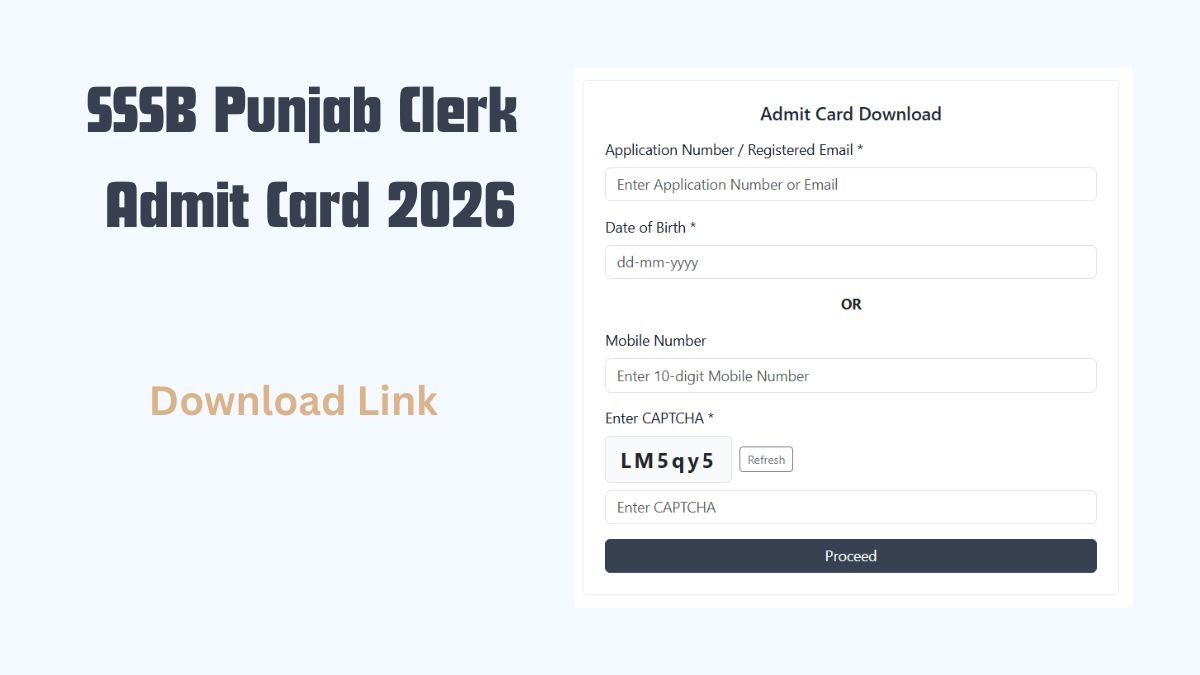
Candidates must enter their application number or registered email and either a date of birth or a mobile number, then the CAPTCHA. The board advises Google Chrome to avoid date of birth issues. Candidates should check all details in the article below.
Information verified from the official admit card download page of the Subordinate Services Selection Board, Punjab. Last verified: 7 October 2026.
The Subordinate Services Selection Board, Punjab has released the admit card for the Clerk post. Candidates can download it on ps.ctestservices.com. The login needs an application number or registered email, a date of birth or mobile number, and the CAPTCHA.
Quick Summary of SSSB Punjab Clerk Admit Card
| Detail | Information |
|---|---|
| Organisation | Subordinate Services Selection Board, Punjab (SSSB) |
| Post | Clerk |
| Admit Card | Available for download |
| Login ID | Application number or registered email |
| Second Detail | Date of birth (dd-mm-yyyy) or 10-digit mobile number |
| Verification | CAPTCHA shown on the screen |
| Browser | Google Chrome |
| Download Portal | ps.ctestservices.com |
| Helpdesk Email | ehelpdesk8@gmail.com |
The download page lists the Clerk post only. Updates on other recruitments appear under latest jobs across Punjab.
How to download the admit card
- Open the admit card page on ps.ctestservices.com in Google Chrome.
- Enter the application number or registered email.
- Enter the date of birth in dd-mm-yyyy format, or enter the 10-digit mobile number.
- Enter the CAPTCHA shown on the screen. The Refresh button gives a new code.
- Click Proceed.
- Open the Downloads folder to view and print the admit card.
The board asks candidates to use Google Chrome for this download to avoid date of birth issues. Candidates should print a clear copy of the SSSB Punjab Clerk admit card and keep a spare. A phone screen may not be accepted at the examination centre.
Cards for other exams are listed under admit card updates.
This is added context, not part of the official notice. Confirm with the official website.
Also Read: SSSB Punjab Recruitment 2026 – 70 Group C Posts | Advt No. 12
Details to check on your admit card
Candidates should check these details on the card, wherever the card prints them.
- Name and photograph
- Signature and date of birth
- Category and post applied for
- Exam date and shift
- Examination centre address
Candidates facing a problem with the SSSB Punjab Clerk admit card download can write to ehelpdesk8@gmail.com. The download page lists this email for technical queries.
Preparation material is listed under exam syllabus pages.
This is added context, not part of the official notice. Confirm with the official website.
Important Links
| Details | Link |
|---|---|
| Clerk admit card download page | Download Clerk admit card |
| Technical queries | Email the technical helpdesk |
| More government jobs | Latest government job updates |
FAQs
Which browser should be used for the SSSB Punjab Clerk admit card download?
Candidates should use Google Chrome. The download page advises this so that date of birth problems do not occur. Candidates who enter a date of birth should type it in the dd-mm-yyyy format shown on the form.
Can I download the admit card with a mobile number instead of date of birth?
Yes. The download form has an OR option, so candidates can enter a 10-digit mobile number in place of the date of birth. The application number or registered email is still needed, along with the CAPTCHA.
Where is the SSSB Punjab Clerk admit card saved after downloading?
The admit card saves to the Downloads folder of the device used for the download. The download page asks candidates to check that folder, then view and print the card.
What if the CAPTCHA is not clear on the admit card page?
Candidates can press the Refresh button beside the CAPTCHA to get a new code. The new code must be typed in the CAPTCHA box before candidates click Proceed.

ABOUT THE AUTHOR
I’m Sandeep Khati, founder of India Job Alerts. I completed my B. Tech. in Computer Science from Jalpaiguri Government Engineering College (JGEC) in 2010, then worked as a Systems Engineer at TCS. I moved into digital publishing in 2011, starting with SearchDarjeeling.com and later working as a web developer and designer at Darjeeling Informatics.
I launched India Job Alerts in April 2025. It’s my most focused project yet, built to publish verified Government and PSU job notifications for candidates in West Bengal, Sikkim, and across India. Before any post goes live, I personally check it against the official notification. Know more